One core. Three investment worlds.
luxData.licht, luxData.lsa, and luxData.ebox share the same data model, the same map, and the same tools. You choose a base system based on the facility you operate. The underlying infrastructure remains the same in all three cases.
From the mast to billing.
luxData.licht was developed based on many years of experience with municipal street lighting. The system handles repairs, maintenance, billing, and documentation. It is used in municipal networks as well as for outdoor lighting in industrial parks and large factory complexes.
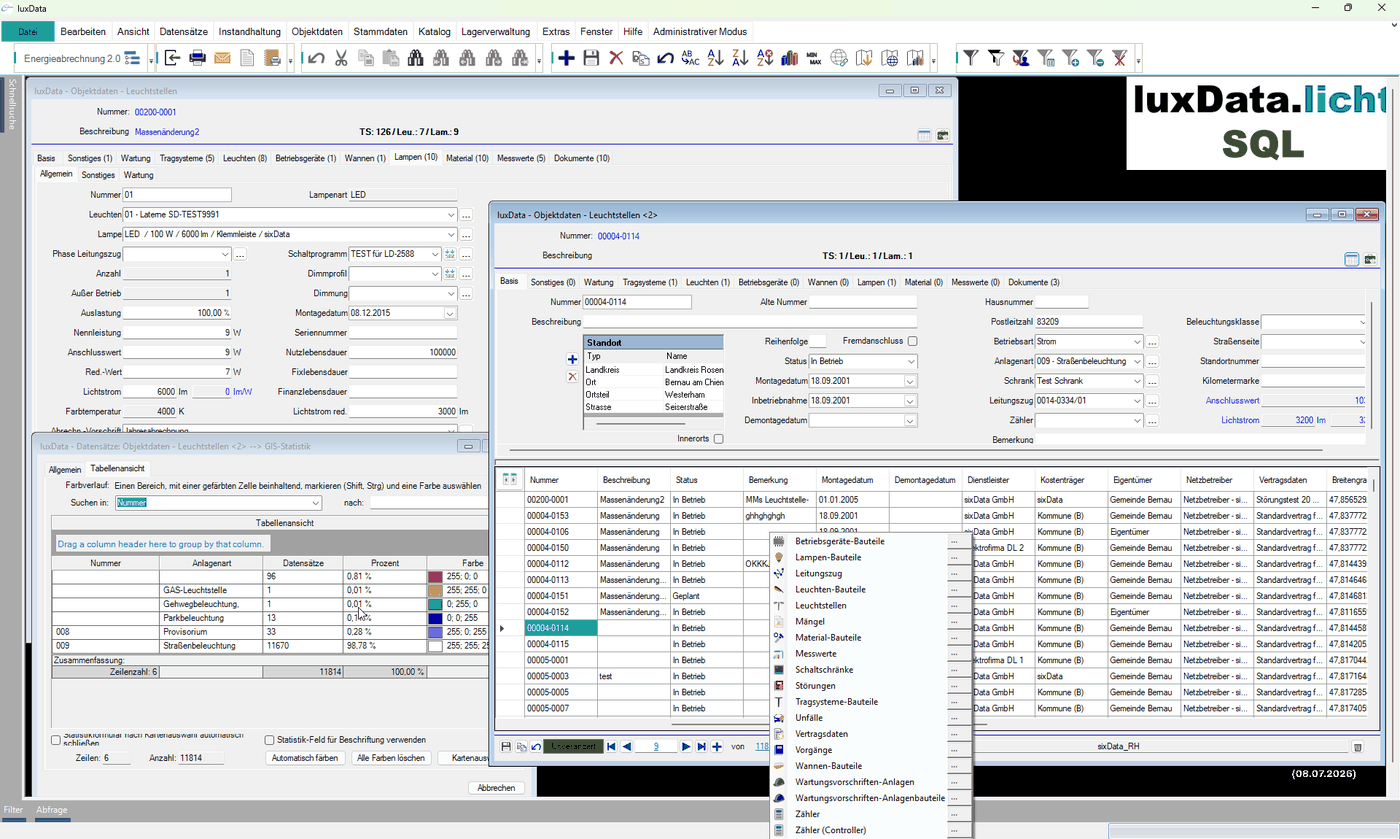
Inventory data down to the component level
Lamps, light fixtures, troughs, booms, cables, poles, and ballasts are tracked individually. With the push of a button, you can see which lamp is installed in which lighting point. You can also see which control cabinet powers which lighting points.
Energy and Billing
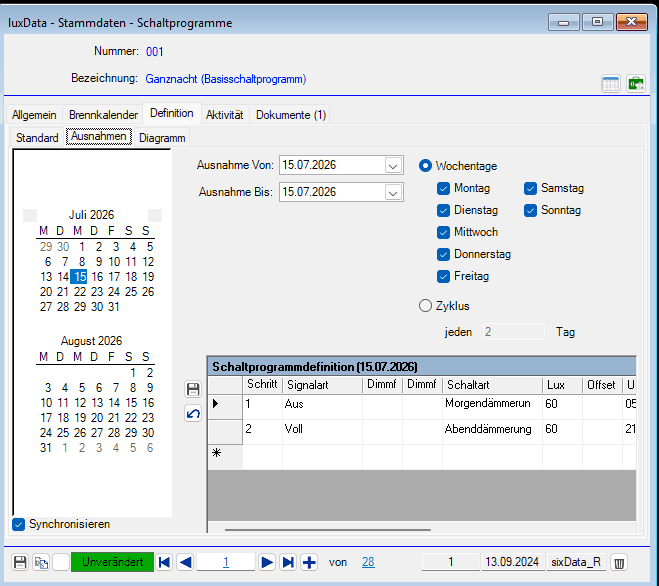
The measurement data archive for switching points and circuits records the measurements required by EN, DIN, and VDE standards. Electricity contracts, switching schedules based on the twilight calendar, and billing regulations together form the basis for energy billing.
Maintenance with a Work Order
Projects, tasks, orders, processes, and malfunctions—along with their causes—are all tracked in a single thread. Maintenance procedures can be defined multiple times for each piece of equipment. Resource planning is part of this process.
Facilities whose failure would disrupt traffic.
Traffic signal systems are just as vulnerable to accidents, weather, and technical deterioration as streetlights. However, because they directly affect ongoing traffic, a failure is considered a matter of greater urgency. luxData.lsa maps the complete system structure along with all relevant information.
Complete plant structure
A traffic signal system is mapped along with all associated information. Multiple locations can be managed simultaneously without creating separate databases.
Priority in the Event of an Incident
Because traffic signal systems directly affect traffic flow, their malfunctions are handled under the same task-based maintenance program as the lighting system. They are given their own priority level within this program.
The Same Tools
The map, reports, queries, and history are identical to those in luxData.licht. Anyone familiar with one system can work in the other without any additional training.
The charging station alerts you before anyone stands in front of it.
luxData.ebox was developed in 2015 as a prototype based on luxData.licht and has been in use since mid-2016. The goal is the same as in lighting: to ensure technically flawless operation with predictable costs, thereby eliminating the need for technicians to make unplanned service calls.
Inventory with a complete history
The equipment inventory is fully documented. The parts catalog covers all necessary components, and the history remains complete even through modifications.
Interference from three sources
The charging station reports some of the malfunctions itself via an interface. The rest are submitted through the stoerung24 fault reporting portal, via the app, or manually. All reports are routed to the same dispatch center.
Service Levels and Priorities
Charging points can be classified by service level. Types of malfunctions and contracted service providers are assigned priorities, and maintenance intervals comply with legal requirements.
What is the same in all three systems.
The underlying systems differ in terms of what they manage. They do not differ in terms of how they are used. The following tools are included in each of them.
Map and MiniGIS
You can position assets on the map using drag-and-drop or link them to existing coordinates. You can create operations and incidents directly from the map or from the tree view. The GIS statistics display color-coded distributions within the edited area.
Analysis and Reports
A built-in report designer lets you create your own reports and modify existing ones. You don't have to wait for support to do this. You can export all reports to Word, PDF, image, or text files.
Queries Without Database Knowledge
The query generator creates queries for every field and every form. No knowledge of the database structure is required. Statistics, totals, and counts are just a click away everywhere.
Document Archive
For each data record, you can store as many documents as you like, including images, PDF files, and Office and CAD files. The enhanced luxData.webdms adds versioning, indexing, detailed access rights, and access via WebDAV.
Customize Forms
Almost any form can be switched to design mode at runtime. You can hide fields that aren't needed, make individual sections read-only, and change the layout. You can save these settings for each user or user group, and permissions extend down to the field level.
Interfaces
GIS interfaces are available for all common systems and can be customized to meet your requirements. For SAP R/3, there are interfaces to the material master and order management. You can export data sets, selections, and reports to Word or Excel with the click of a button.
History and Permissions
The ongoing historization process reconstructs the status of a facility back to the time of its construction. User filters limit the view at the data level, for example, to a specific location. Individual fields can be selectively enabled or disabled.
Flexible Location Structure
The location structure is defined on a customer-specific basis, rather than following a fixed hierarchy of location, district, and neighborhood. The system language can be changed during operation.
Three apps are included in every package.
luxData.web
luxData.web is a web-based information solution. Equipment data and status can be viewed in a browser, without any installation and without full access to the system.
luxData.mobileApp
luxData.mobileApp brings maintenance, repairs, and troubleshooting to Android and iOS devices. Technicians document their work on-site, and the work orders are then synchronized back into the system.
outage24
Through stoerung24, citizens can report issues around the clock via the portal or app. The report is sent directly to luxData.
Control isn't included?
Manage and maintain the base systems. To switch and dim lights, add luxData.connect as a standalone control system. Alternatively, integrate an existing control system via luxData.control.
Get to know luxData.pro in person.
We'll show you how the system works using your own use cases. This is a no-obligation, straightforward process.